
Automatic glass doors are a staple in modern buildings. From shopping malls to office spaces, they offer convenience, accessibility, and efficiency. However, like any technology, these doors are prone to occasional issues, often caused by sensor malfunctions.
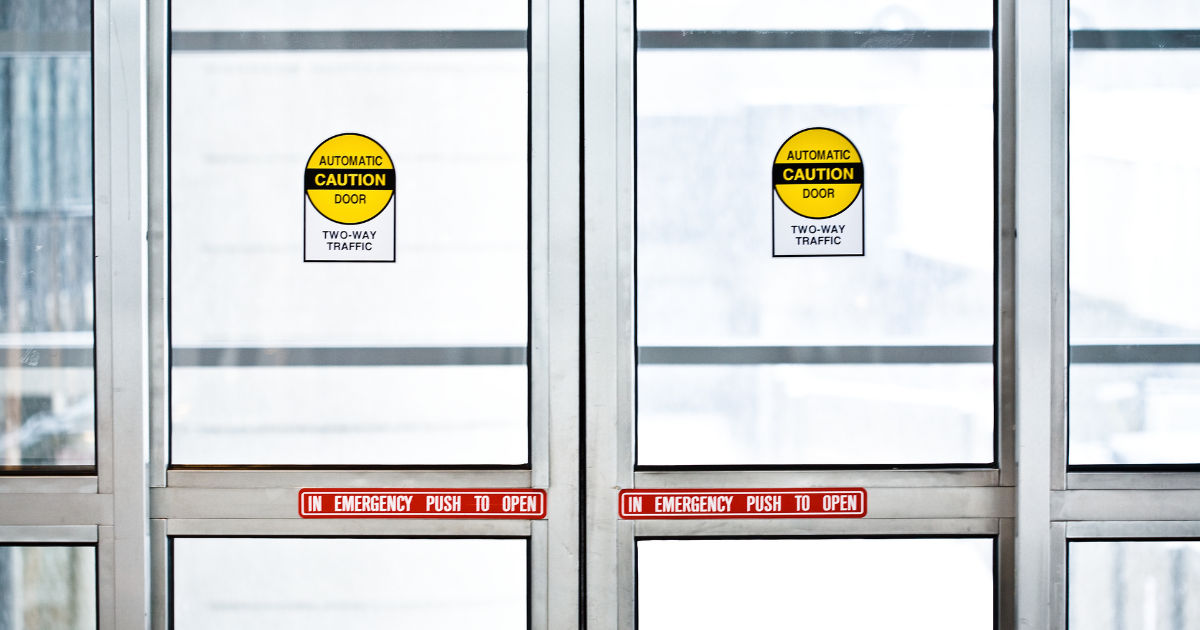
If you've ever encountered an automatic door that refuses to open or close properly, understanding door sensor troubleshooting is key to resolving the problem quickly and safely.
In this comprehensive guide, we’ll walk you through the causes, steps, and preventive measures for troubleshooting automatic glass door sensors, with insights from akbari glass. This guide is designed to be easy to read and understand for anyone, even if you have no prior technical knowledge.
Automatic Glass Door Sensors
Automatic glass doors operate using a combination of sensors, control systems, and mechanical components. The sensors detect motion or presence near the doorway and signal the door to open or close accordingly. There are different types of sensors used in automatic doors, including:
-
Infrared Sensors: Detect motion or heat from a person approaching.
-
Radar Sensors: Use radio waves to detect movement.
-
Pressure Sensors: Detect weight or pressure on a mat near the doorway.
-
Safety Sensors: Ensure the door does not close on a person or object.
Understanding the type of sensor your automatic door uses is the first step in effective door sensor troubleshooting.
Common Problems with Automatic Glass Door Sensors
Automatic glass doors are generally reliable, but sensor problems can occur due to various reasons. Some common issues include:
-
Door Does Not Open: The sensor may fail to detect motion or presence.
-
Door Does Not Close: This often indicates a blocked safety sensor or misalignment.
-
Erratic Opening and Closing: The door may open and close unexpectedly or repeatedly.
-
Slow Response: The door opens slowly or hesitates before closing.
-
Continuous Beeping or Error Signals: This could be due to a system alert triggered by a sensor malfunction.
Identifying the specific problem is critical for effective door sensor troubleshooting.
Safety First: Precautions Before Troubleshooting
Before starting any troubleshooting, it’s important to ensure safety. Automatic glass doors are powerful and can cause injury if not handled correctly. Follow these safety precautions:
-
Turn off the door’s power supply before inspecting sensors.
-
Do not force the door open or closed manually.
-
Use gloves to avoid glass cuts.
-
Keep children and pets away while performing maintenance.
Step-by-Step Door Sensor Troubleshooting Guide
1. Inspect the Sensor Alignment
Misaligned sensors are one of the most common reasons automatic doors malfunction. To check alignment:
-
Look for the sensor lenses on both sides of the door frame.
-
Ensure the sensors face each other directly and are at the same height.
-
Clean any dirt or smudges on the lenses using a soft, lint-free cloth.
-
Adjust the sensors slightly if they are misaligned.
Proper alignment is often all that’s needed to restore normal operation.
2. Check for Obstructions
Automatic door sensors can be blocked by objects in the doorway, dust, or debris. Follow these steps:
-
Remove any items near the door sensors.
-
Inspect the floor for dust mats or debris that might trigger pressure sensors incorrectly.
-
Ensure the door area is clear of hanging decorations or signage.
Even a small obstruction can cause the sensors to malfunction.
3. Test the Sensor Response
Testing the sensor’s response helps identify whether the issue is with the sensor or the control system:
-
Turn on the door system.
-
Slowly walk toward the door and observe if it opens.
-
If the door does not respond, check the sensor indicator lights. Many sensors have LEDs that indicate operation or faults.
-
Swap the testing pattern by approaching from different angles to ensure full coverage.
This simple test often pinpoints where door sensor troubleshooting should focus.
4. Examine the Wiring and Connections
Loose or damaged wiring can cause sensor failures:
-
Switch off the power supply.
-
Open the sensor housing to inspect wiring connections.
-
Look for frayed wires, corrosion, or loose terminals.
-
Tighten any loose connections and replace damaged wires.
Good wiring ensures reliable sensor communication with the control panel.
5. Check the Control Panel Settings
Automatic glass doors are controlled by a central system that regulates sensor input. Issues may arise due to incorrect settings:
-
Locate the door’s control panel.
-
Check sensitivity settings for the sensors. High or low sensitivity can cause malfunction.
-
Review delay timers to ensure the door opens and closes at proper intervals.
-
Reset the system if necessary to default factory settings.
Adjusting control settings is a critical step in door sensor troubleshooting.
6. Clean and Maintain Sensor Lenses
Dirt, fingerprints, or condensation on the sensor lenses can prevent proper operation:
-
Use a soft microfiber cloth to clean the lenses gently.
-
Avoid using abrasive cleaners that can scratch the lens surface.
-
Check for condensation or water droplets and wipe them dry.
Regular cleaning reduces false readings and ensures smooth door operation.
7. Test Safety Sensors
Safety sensors prevent doors from closing on people or objects. Faulty safety sensors can stop the door from functioning:
-
Walk slowly toward the door and then step back to see if it closes.
-
Check the alignment and cleaning of safety sensors, just like the main sensors.
-
Test multiple times to ensure consistent operation.
Properly functioning safety sensors are essential for building safety compliance.
8. Check for Environmental Factors
Sometimes, external factors interfere with sensor performance:
-
Bright sunlight directly hitting infrared sensors can cause false readings.
-
Heavy rain or fog may impact sensor detection.
-
Strong vibrations or construction nearby may trigger sensors erratically.
Considering environmental factors is important during door sensor troubleshooting.
9. Replace Faulty Sensors
If all else fails, the sensor itself may be defective:
-
Identify the sensor model and manufacturer.
-
Purchase a replacement sensor compatible with your automatic door system.
-
Follow manufacturer instructions for installation.
-
Test the door thoroughly after replacement.
Replacing a malfunctioning sensor often restores reliable operation.
10. Regular Preventive Maintenance
Preventive maintenance reduces the chances of sensor failure:
-
Schedule monthly inspections for sensor alignment and cleaning.
-
Keep the area around the door clear.
-
Check the control panel settings periodically.
-
Replace worn components before they fail.
A proactive approach reduces downtime and ensures consistent door performance.
Advanced Door Sensor Troubleshooting Tips
For more complex problems, consider these tips:
-
Use a Multimeter: Check sensor voltage and continuity to identify electrical issues.
-
Check Firmware Updates: Some modern sensors may have software or firmware that needs updating.
-
Consult Manufacturer Manuals: Specific troubleshooting steps may vary by model.
-
Professional Assistance: For recurring or critical issues, hire certified technicians to avoid safety risks.
Even with basic knowledge, these advanced steps help you understand more complex sensor problems.
Signs That Professional Help is Needed
Sometimes, DIY door sensor troubleshooting may not be enough. Seek professional help if you notice:
-
The door opens or closes unexpectedly and frequently.
-
Sensors show no response after cleaning and alignment.
-
Electrical sparks, burning smells, or strange noises occur.
-
Multiple components show signs of wear or corrosion.
Professional technicians can diagnose and fix issues safely, ensuring compliance with safety standards.
Conclusion
Automatic glass doors make life easier by providing smooth and convenient access to buildings. However, sensor problems can interrupt their operation, creating inconvenience or even safety hazards. Effective door sensor troubleshooting involves understanding the types of sensors, inspecting alignment, cleaning lenses, checking wiring, and testing control systems.
By following the steps outlined in this guide—from basic inspections to advanced maintenance—you can address most common sensor problems quickly and efficiently. Regular preventive maintenance, attention to environmental factors, and professional inspections when needed will ensure that your automatic glass doors remain safe, reliable, and fully functional for years to come.
Taking the time to troubleshoot and maintain your door sensors not only saves time and repair costs but also ensures the safety of everyone using the facility. With these tips, anyone can approach door sensor troubleshooting with confidence and clarity.